- In the Detect a
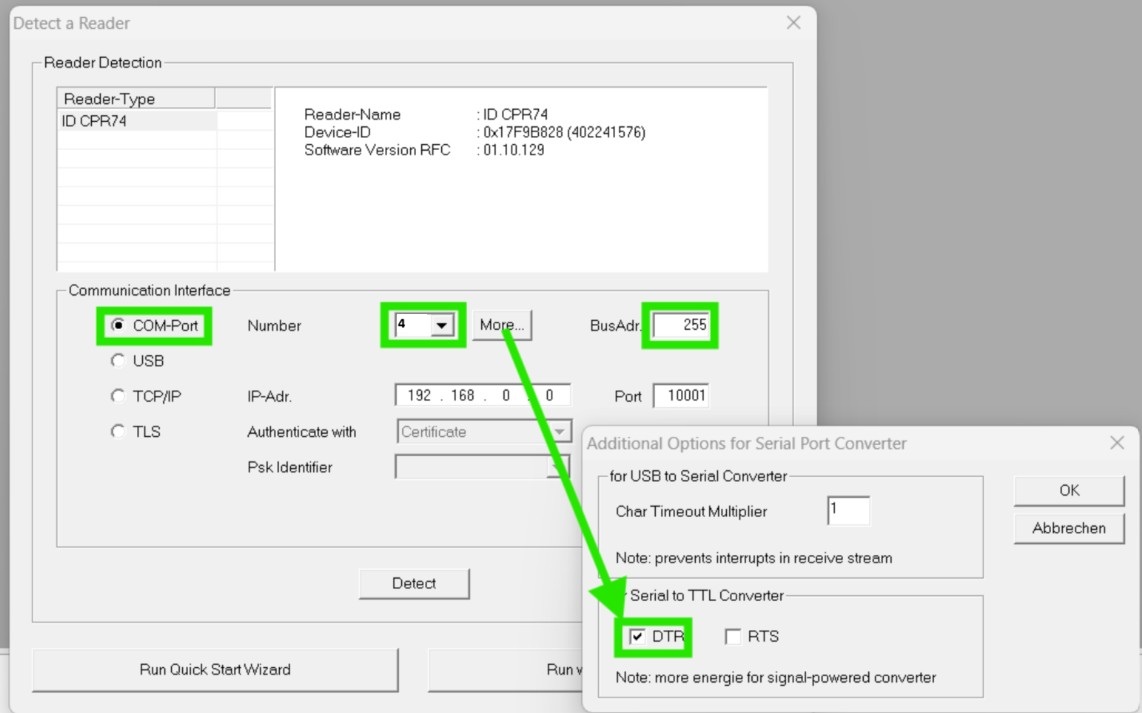
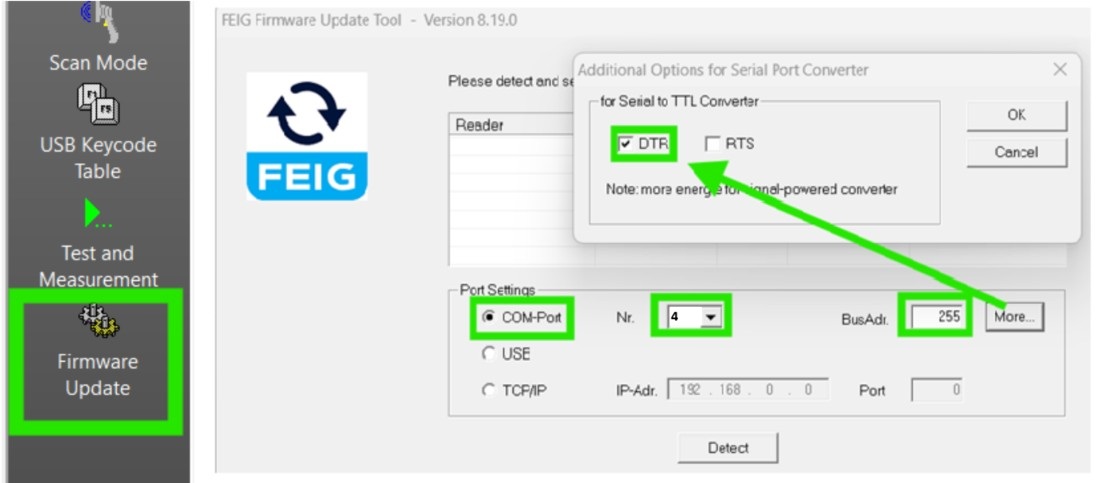
Reader window, do the following:
- Select COM-Port
for communication interface
- Input the
correct COM Port Number for your reader
- Click More
button and check the box for DTR
- Input value 255
for BusAdr (Broadcast)
- Now click the Detect
button. You should see your reader info pop up in the
Reader Detection box.
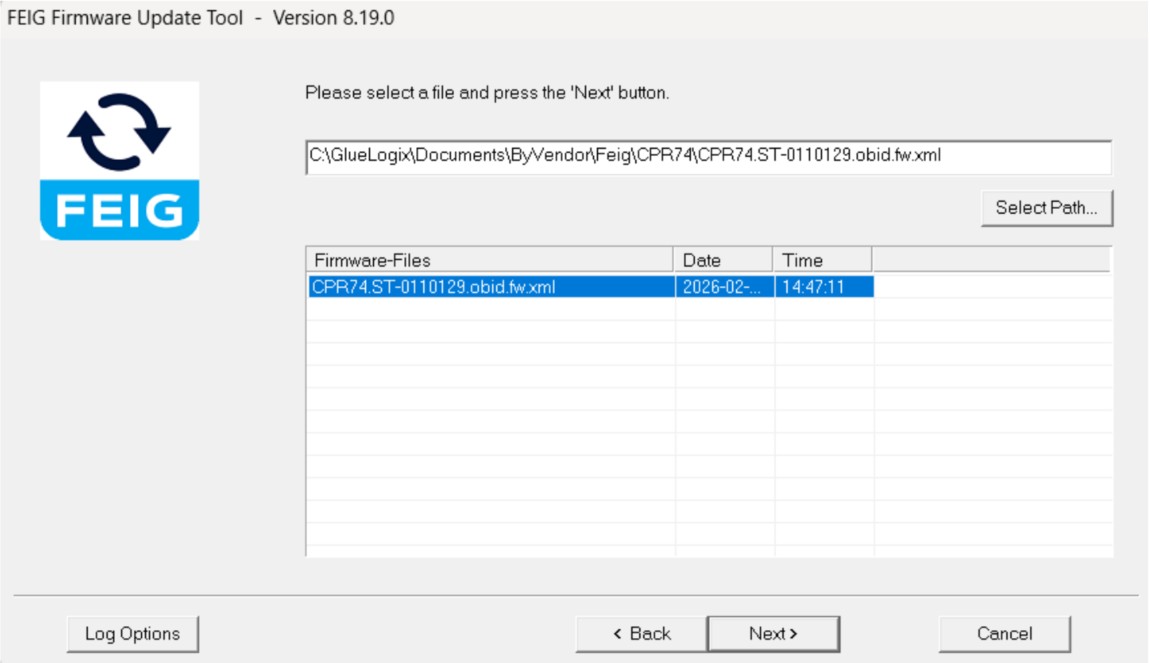
- Click Run
without change to connect to your reader.
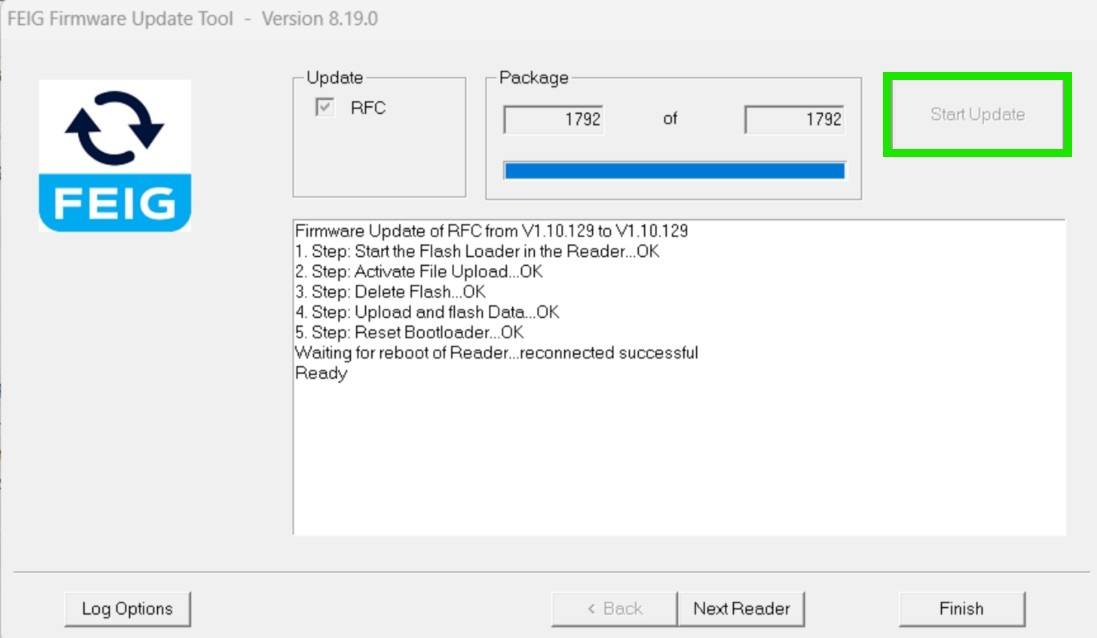
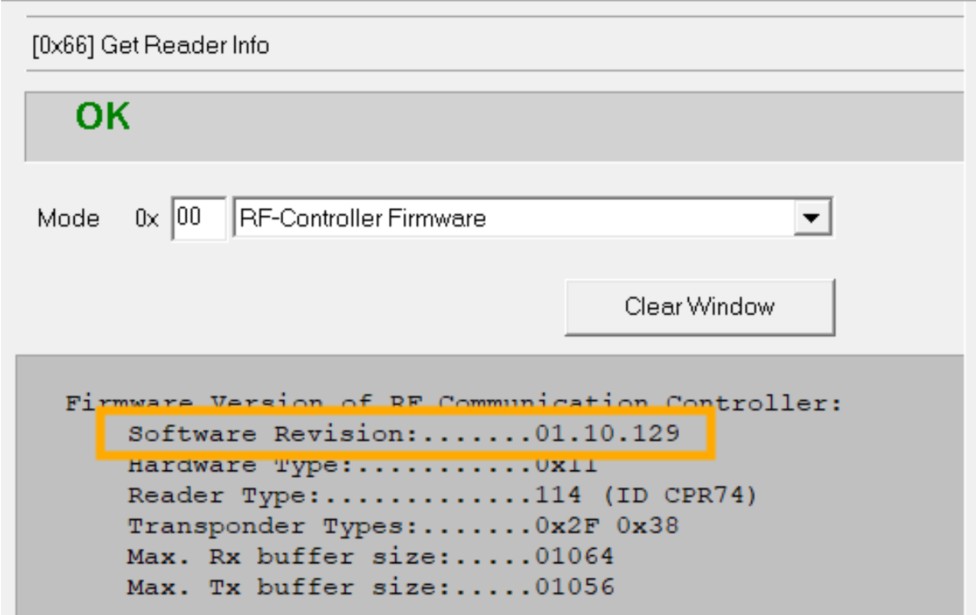
- Now you are ready
to update your firmware.
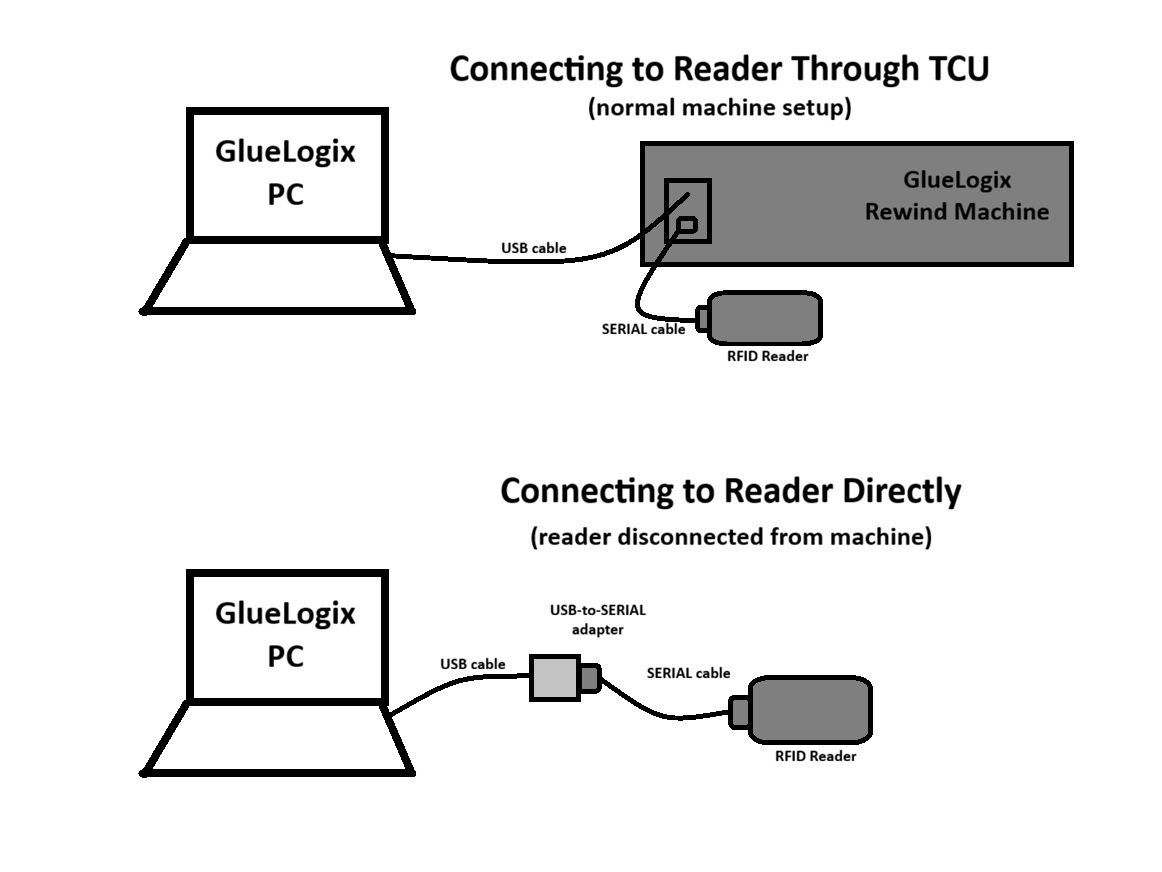
Connecting to the
Reader Directly
If there are any issues
with the firmware update, you may wish to connect to the
reader directly instead of connecting through the TCU.
Direct Serial
Connection:
You can connect to
an LRU1002 or a CPR74 RFID Reader with a Serial Connection.
- Locate the Serial
Cable connecting your reader to the GlueLogix machine.
- Disconnect your
reader from the GlueLogix system and connect it to your PC
with a USB-to-Serial adapter.
- If you are unsure
what COM port you are using, open Device Manager,
click on Ports, and plug/unplug your reader.
- Open FEIG
ISOStart software.
- Note: You do
NOT have to go through the process of opening LineLogixPC
and lining up the reader with the TCU.
- Click Detect
to open the Detect a Reader window. Select the same
settings as the image above (COM-Port communication, correct
COM Port number, DTR on, BusAdr = 255)
- Click Run
without change and continue following the steps below.
Direct USB
Connection:
This
section is for LRU1002 Readers only. The
CPR74 does not have an easily-accessible USB connection. LRU1002
can connect via Serial or USB, but the USB connection is much
faster.
- Locate the USB
port on the front left-hand side of the LRU1002. If it is a
newer model with a micro-USB, you might need to remove a
rubber dust cap.
- Open FEIG
ISOStart software
- Connect the PC to
the LRU1002 with a USB cable.
- The reader should
automatically connect via USB. Follow the next section
to update your firmware, but when you open the Firmware
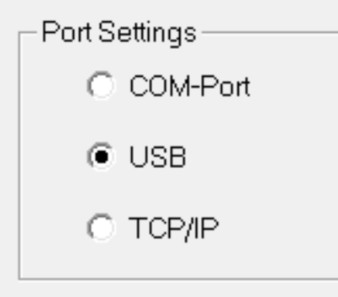
Update Tool, select USB instead of
COM-Port communication, as in the following image:
Note: If you
cannot connect to your LRU1002 with USB, your reader may not be
configured properly. You can either switch to a Serial
Connection (with a USB-to-Serial adapter) or reconfigure
your reader.
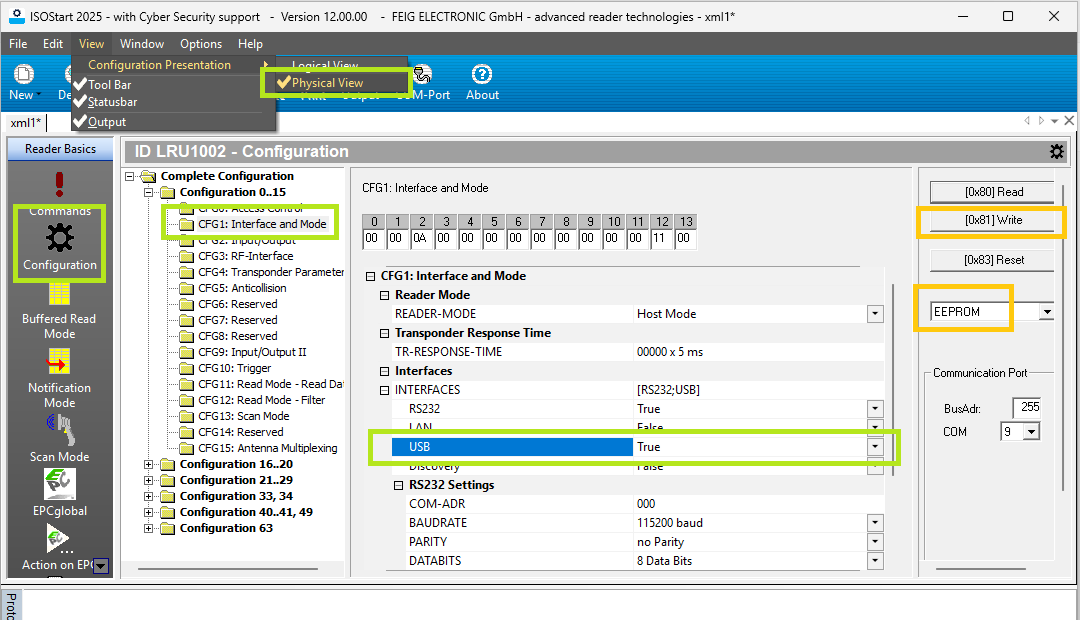
To check USB configuration via the Serial interface, connect ISO Start+ as shown above, and follow the next figure:
- Set ISO Start+ View to Physical
- In the Config tree, select CFG1
- Make sure USB is set along with RS232
- If not, set it, then (orange boxes)
- select EEPROM at the right, and
- click Write
See also section UHF: Configuring an LRU1002 Reader in FEIG ISOStart+ Software at https://gluelogix.com/helpFeigSettingsRestore/ConfiguringFEIGReaders.html
You may also need to download the FEIG USB driver here:
https://www.feig.de/wp-content/uploads/setup_feigidusb_v3.26.0_win10_build2020120901.zip
(from https://www.feig.de/en/drivers/
)